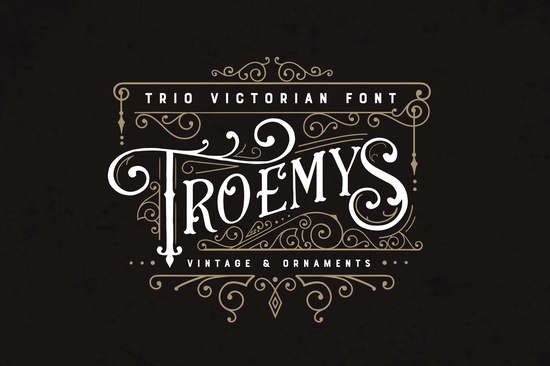
Finding the right vintage typeface can take hours of scrolling through endless design marketplaces. If you need a classic look with plenty of extra flourishes, the Troemys Font Trio Font offers a complete package for your design workspace. It brings a distinct Victorian feel to the table, combining three complementary type styles with a massive collection of decorative extras. Whether you are setting up a new bakery brand or designing wedding invitations, having a cohesive set of letters and ornaments saves a lot of time. You can explore the full Troemys collection to see all the character maps and available glyphs.
What makes this vintage typeface stand out?
Most retro fonts only give you a single style. This bundle provides a trio, meaning you get a primary font, a secondary style for contrast, and a third option for accents. This is incredibly useful for print-on-demand sellers who need to create varied merchandise without buying multiple separate licenses. The Victorian aesthetic relies heavily on intricate details, and the included vector and PNG decorative elements let you build custom frames, borders, and badges without having to draw them from scratch. If you want to explore more options in this specific style, you can browse the wider vintage display typography section for similar historical designs.
How do you access the ornaments and swashes?
One of the most frustrating parts of using highly decorative fonts is finding the specific swirl or leaf you want. This typeface is fully PUA encoded. If you are using professional software like Adobe Illustrator or Photoshop, you can simply open the Glyphs panel and click exactly what you need.
For simpler programs that do not support glyph panels, the designer mapped the ornaments directly to your keyboard. You can access them by simply typing:
- Capital letters for one set of elaborate flourishes.
- Lowercase letters for another set of decorative swashes.
- Numerals for additional ornamental details and small accents.
What extra files are included in the bundle?
Beyond the standard TTF and OTF files, the download contains several bonus assets that speed up your workflow. You get six pre-made logos complete with editable layered PSD and EPS files. This is a massive help for small businesses or freelance designers who need to present quick mockups to clients without starting from a blank canvas.
If you are building a larger typography library, you might also want to look at other display options to round out your toolkit. For instance, browsing through this refreshing citrus-inspired typeface can give your summer projects a completely different, lighter mood. Alternatively, if you need something with a slightly more modern, geometric edge, checking out this clean and structured alternative might be exactly what your current layout requires. You can also search for the Nectarine and Antidotum fonts directly to compare their character sets side-by-side.
Which projects work best with this style?
Because of its historical, ornate vibe, this typography works beautifully for specific niches. It is not meant for long paragraphs of body text, but rather for headlines, logos, and short phrases.
- Wedding stationery: Use the swashes to frame names and dates on invitations, menus, and RSVP cards.
- Crafting and cutting machines: The included PNG elements are perfect for Cricut or Silhouette users making custom wooden signs or acrylic cake toppers.
- Product packaging: The pre-made logo templates are ideal for artisan goods like handmade soaps, candles, or specialty coffee bags.
- Apparel design: Print-on-demand sellers can use the trio to create vintage-style t-shirt graphics that look authentic and well-balanced.
Practical checklist for installing and using your new fonts
Before you start your next design project, make sure your workspace is ready to handle these specific files.
- Extract the ZIP file: Always unzip the downloaded folder before trying to install the fonts. Your operating system cannot install them directly from inside the compressed folder.
- Install both formats: Install both the OTF and TTF files, but if your software acts buggy, stick to the OTF version as it generally handles advanced typography features better.
- Restart your software: If the font does not show up in your dropdown menu immediately, close and reopen your design program to refresh the font cache.
- Test the keyboard mapping: Open a basic text editor like Notepad or TextEdit, select the font, and type out the alphabet and numbers to see exactly which ornaments are mapped to which keys.
- Organize your bonus assets: Move the PSD, EPS, and PNG bonus files into a dedicated project folder so you do not lose track of the editable logos and vector elements.
 Nectarine Font: a Fresh Design for Modern Projects
 Antidotum Font: Creative Typography Ideas & Projects
 Creative Typography: London's History Through Duo Fonts
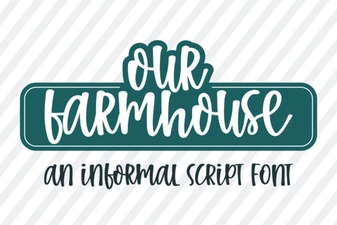 Our Farmhouse Font for Creative Projects
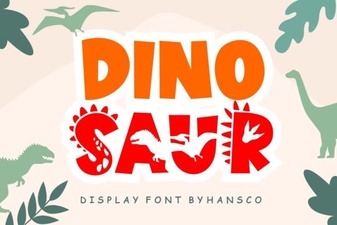 Creative Font Designs for Dinosaur Illustration Projects
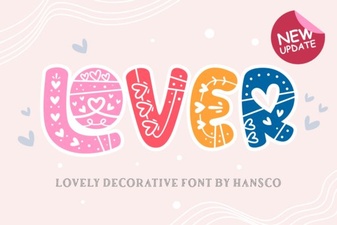 Fonts for Love Letters & Creative Design Projects